Reclaim your disk.
DiskSight scans your Mac for developer clutter — node_modules, Xcode caches, Docker images, and 28 more categories — then safely moves them to Trash.
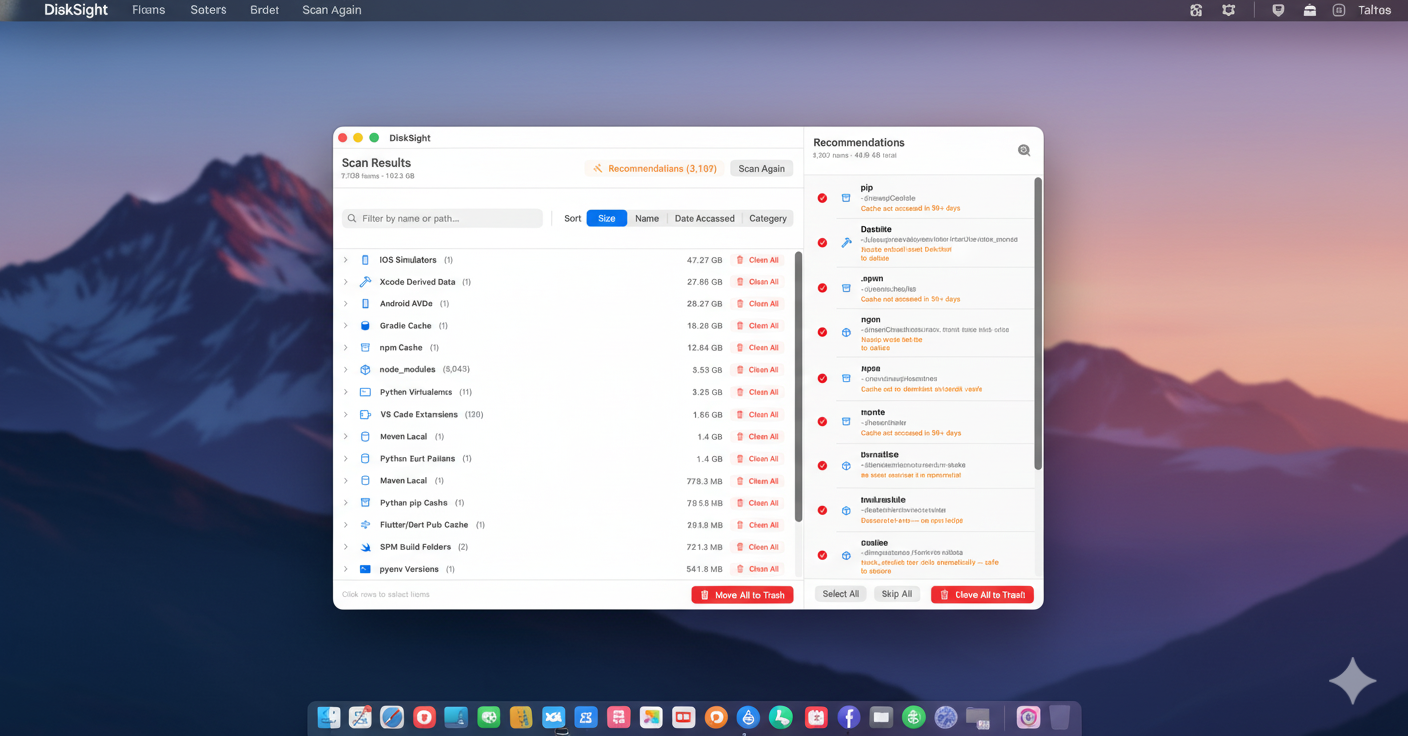
Everything taking up your disk space.
31 categories covering the full developer toolchain — all in one scan.
Developer Tools
- node_modules
- npm / yarn / pnpm cache
- Xcode Derived Data & Archives
- iOS Simulators
- Homebrew cache
Languages & Runtimes
- Python venvs & pip cache
- Ruby gems & Bundler
- Rust / Cargo registry
- Java / Maven / Gradle
- Flutter / Dart pub cache
Build Artifacts
- SPM .build folders
- Terraform .terraform dirs
- dist/ & build/ outputs
- .next/ & .nuxt/ caches
- out/ folders
Dev Environments
- Docker images & volumes
- Android Studio AVDs
- CocoaPods cache
- VS Code extensions
System & Apps
- System caches & logs
- Orphaned app data
- Figma / Framer / Sketch caches
Personal (opt-in)
opt-in- Desktop folder
- Downloads folder
Scan. Review. Clean.
Three steps to a lighter Mac.
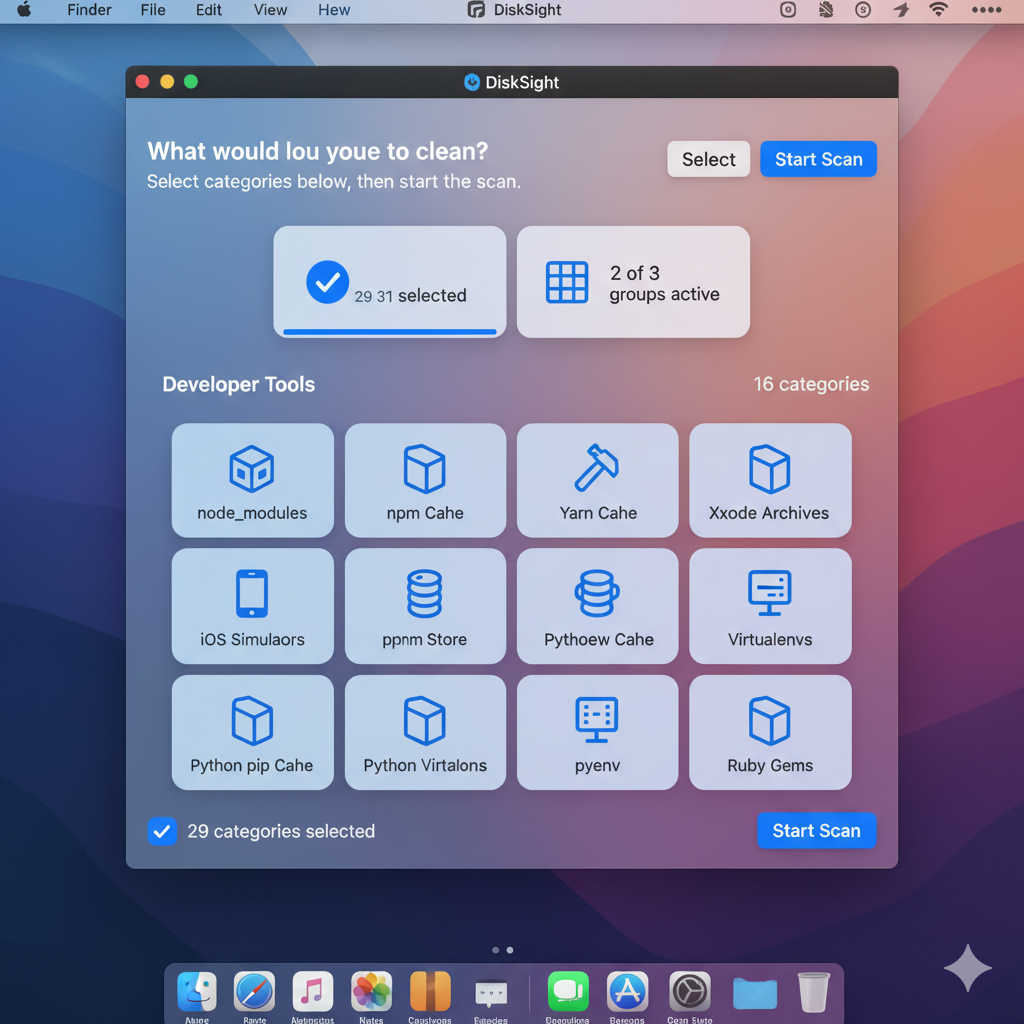
Select
Choose which categories to scan. Everything is opt-in. Personal folders are off by default.
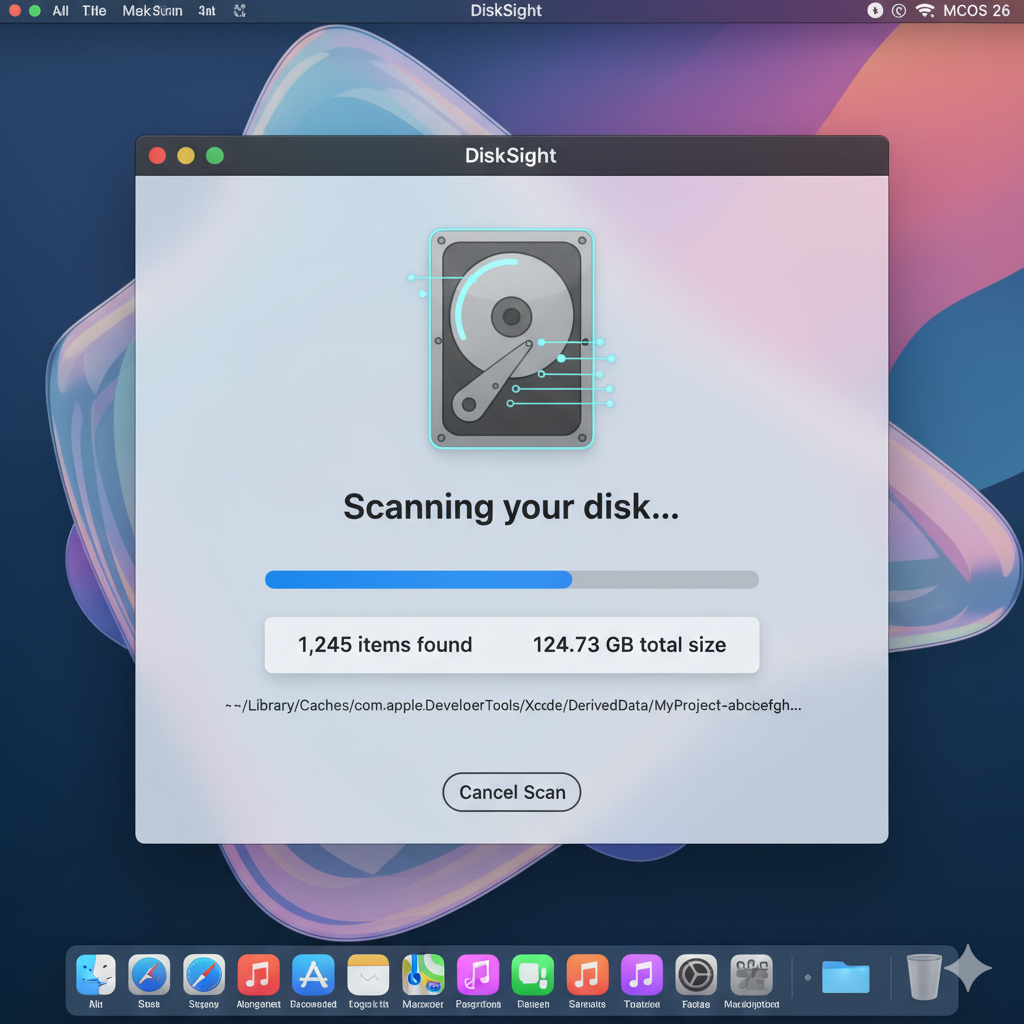
Scan
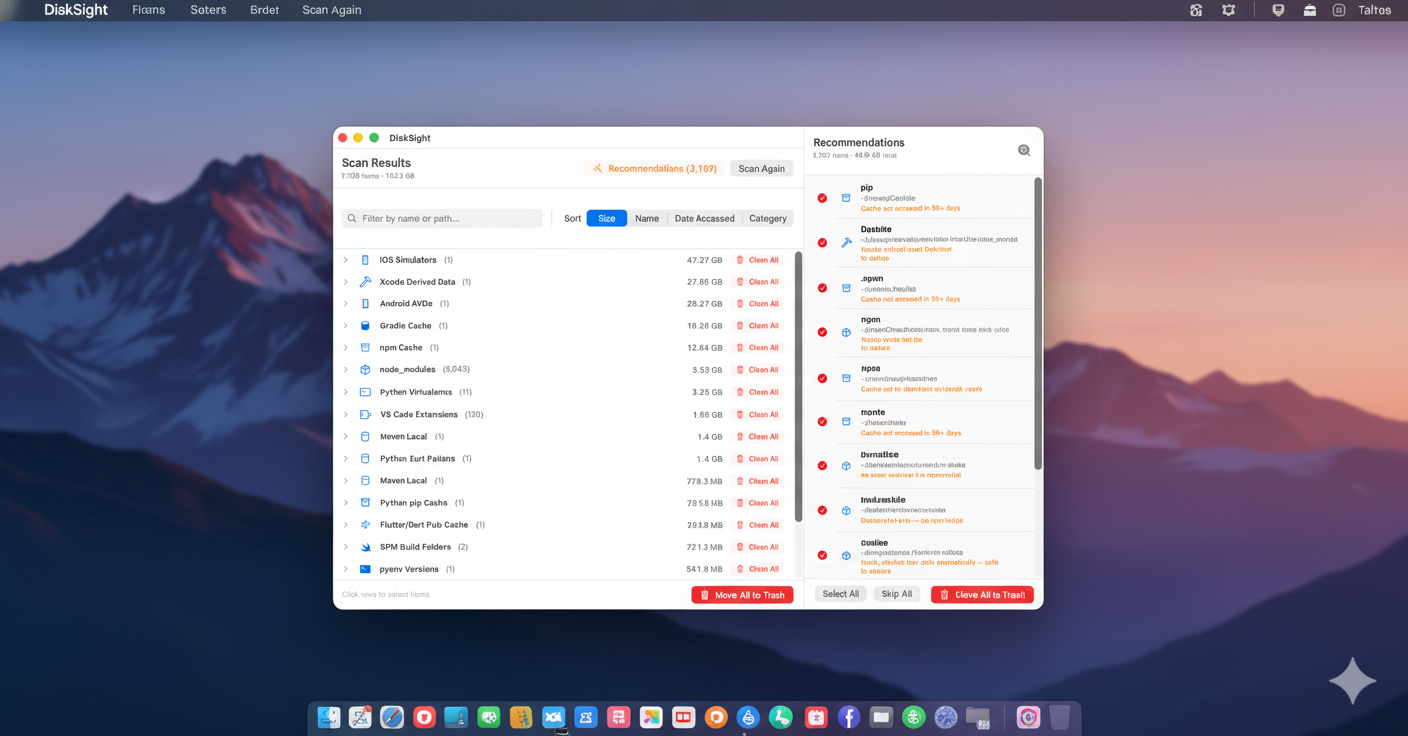
Results stream in live as DiskSight scans. No waiting for completion — start reviewing immediately.
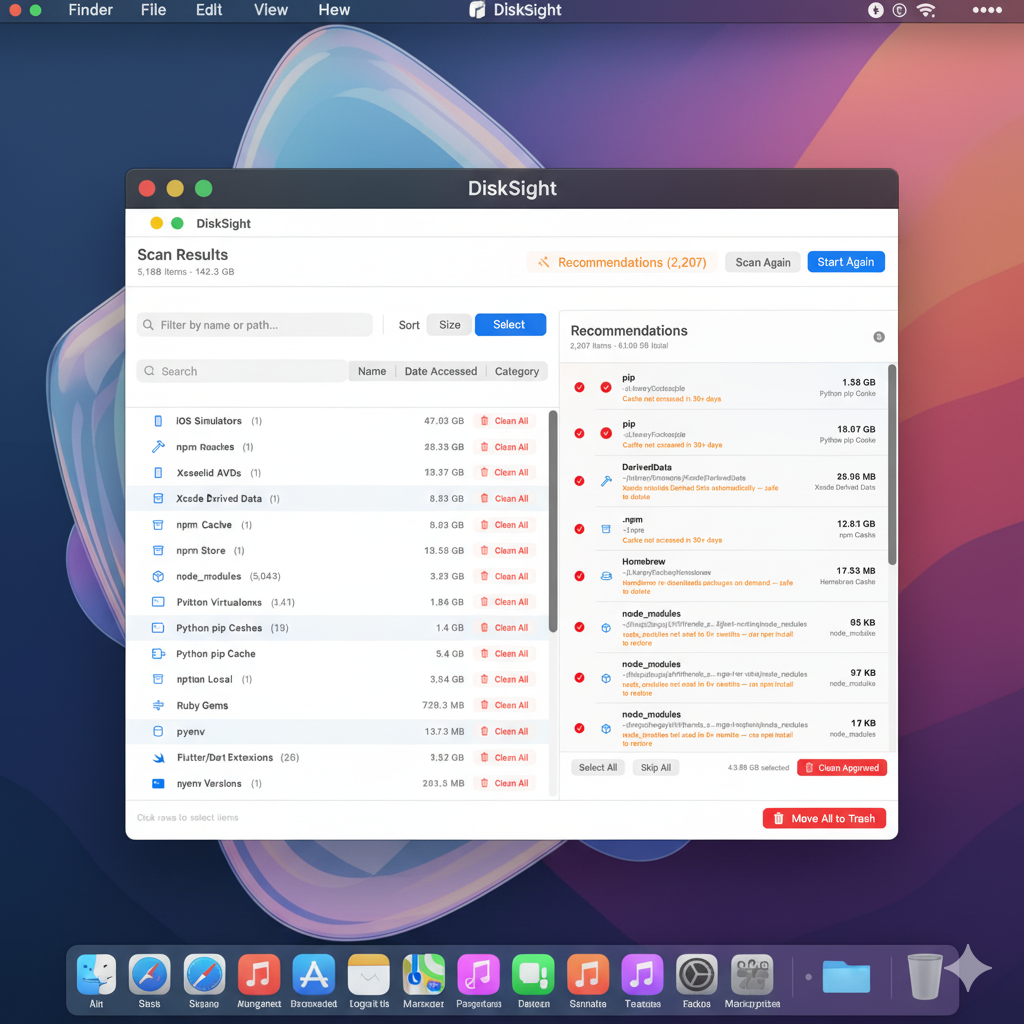
Clean
Review smart recommendations, approve items, then move to Trash with one click. Always recoverable.
See it in action.
A quick look at scanning, reviewing, and cleaning.
Your files are always safe.
DiskSight is built around one principle: never lose your data.
Trash, not delete
DiskSight never permanently deletes files. Every item is moved to your macOS Trash, where you can review and recover anything.
You're always in control
Nothing is cleaned without your explicit approval. DiskSight shows a full confirmation dialog listing every item before any action.
macOS 26 Tahoe or later · Apple Silicon & Intel · Requires Full Disk Access (prompted on first launch) · Free — direct download, no account required
Ready to reclaim your disk?
Free. Native. Built for developers who care about their tools.
Download DiskSight 1.0macOS 26+ · Signed & Notarized · Free